Designing and developing a medical digital tool grounded in scientific evidence
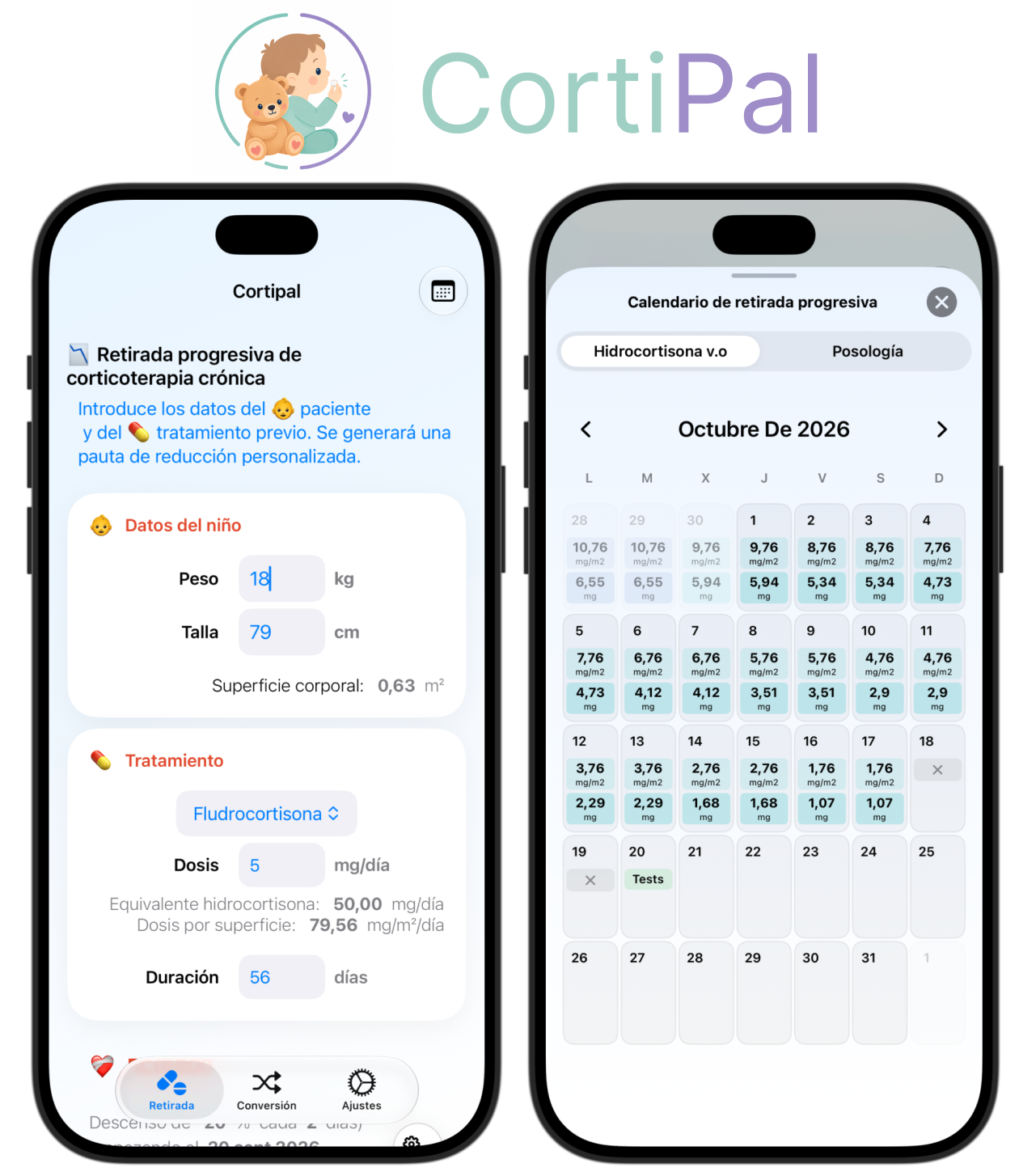
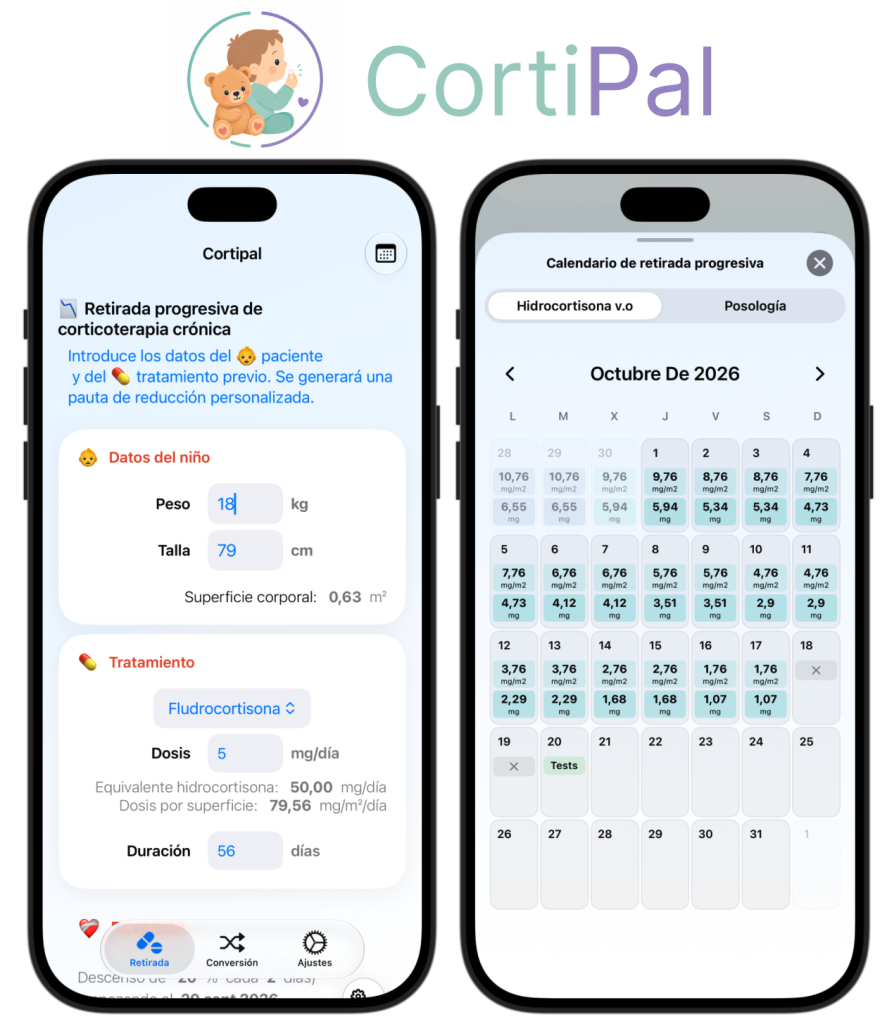
CortiPal is a digital solution designed to support healthcare professionals in the management of corticosteroid treatment in palliative care. The project started from a scientific publication, which served as the foundation for the medical and functional requirements. I translated the scientific methodology and medical needs into functional logic, UX/UI design and an interactive digital experience. The solution was then developed, tested and iterated to ensure consistency with both the scientific source and user needs.
Key Challenges
Translating Scientific Knowledge
Understanding the Medical Context
Ensuring Functional Accuracy
Balancing Requirements & Usability
Development and testing
01 – A software solution translating medical knowledge into a digital experience
The next step was to identify the functional and medical requirements of the solution.
The objective was to understand how healthcare professionals would use the tool, what information they need, which inputs are required and how the scientific rules should be applied.
The scientific source remained the reference point throughout the design and development process.
02 – Functional Design
The medical and functional requirements were translated into a structured user journey.
I defined the required inputs, calculation logic, outputs, warnings and interactions to ensure that the digital workflow remained consistent with the underlying medical methodology.
03 – UX & UI Design
The interface was designed to make the underlying medical logic clear, understandable and easy to navigate.
Before designing the interface, I focused on how information should be presented and entered. I defined the required inputs, data structure and interaction patterns to make data entry clear and intuitive.
I identified the essential information required by the user and separated it from secondary features that could be introduced during a later iteration. This helped maintain a focused interface while addressing the key business and usability requirements.
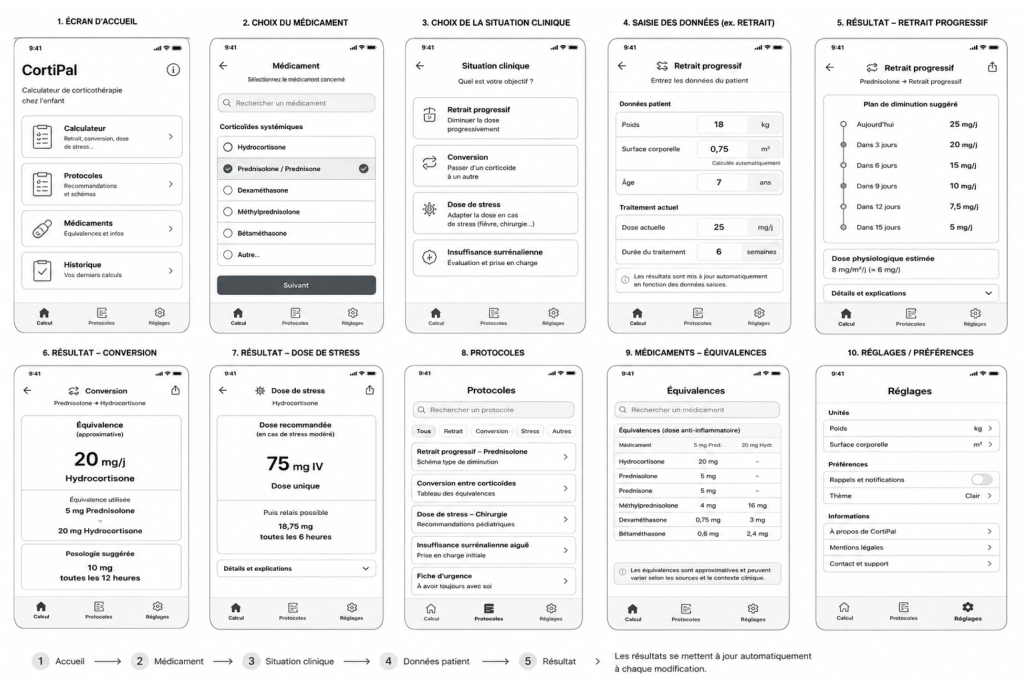
I created low-fidelity wireframes to explore different layouts, interactions and user flows. I also used AI as an ideation partner to generate and challenge design alternatives before selecting the most relevant concepts.
Wireframes
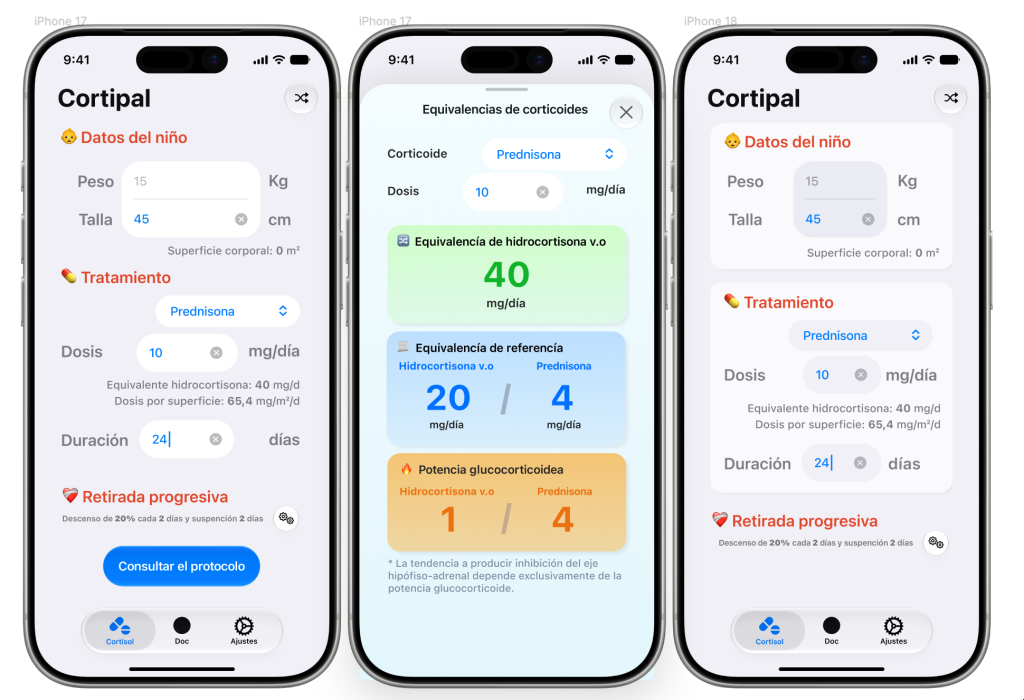
Once the main concepts were established, I moved to Figma to create a realistic, interactive prototype. The design was reviewed with a physician working in the field to validate its usability, clarity and alignment with real-world medical needs.
Figma
04 – Development
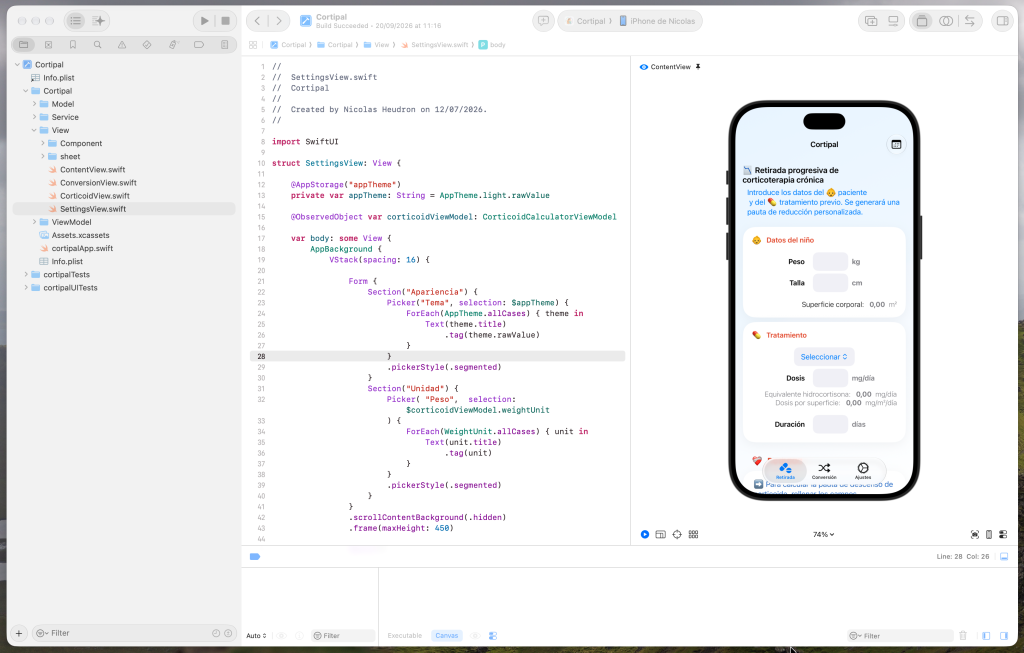
Once the functional and visual design was established, I developed the application and translated the defined rules into a working digital experience.
Particular attention was given to ensuring that the implemented behaviour remained consistent with the defined requirements and scientific source.
Xcode
05 – Validation & Testing
Testing focused not only on the interface, but also on the functional logic and expected outputs.
Inputs, calculations, edge cases and user interactions were checked against the defined requirements and the scientific reference.
06 – Iteration & Improvement
Testing and feedback made it possible to identify improvements in both the user experience and the functional behaviour.
The solution was progressively refined while maintaining alignment with the medical requirements and scientific foundation of the project.
07 – Final solution
* CortiPal is based on a real medical publication that is not publicly available. To protect the confidentiality of the medical protocol and its underlying information, only selected screens and non-sensitive elements are presented in this case study.
My main project
Industrial Maintenance and Operational Readiness Supported by Software Solutions
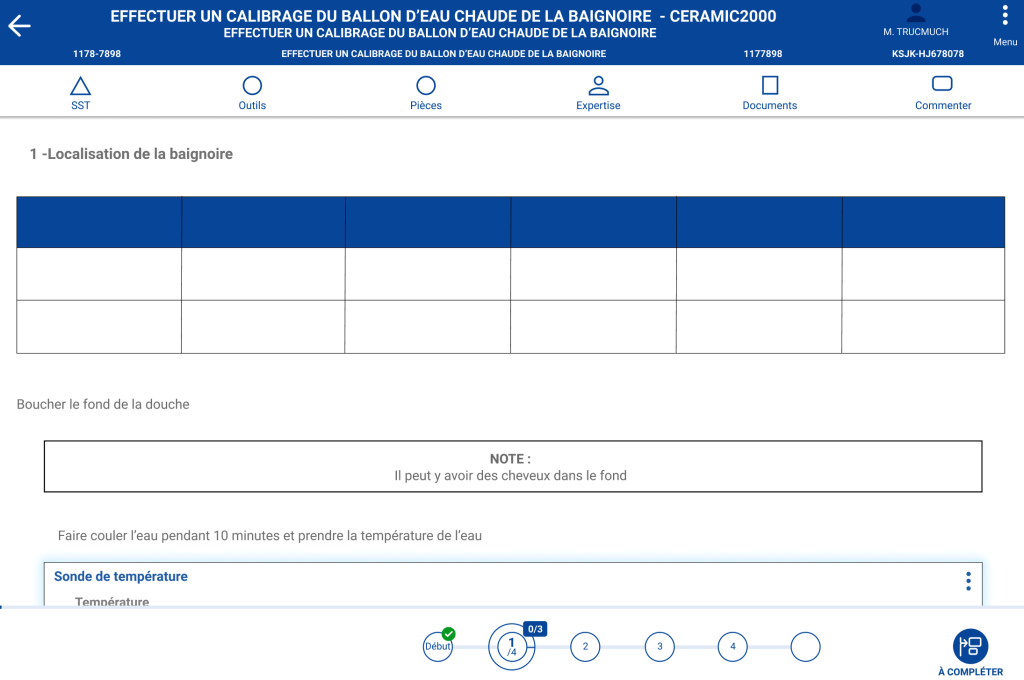
I contributed to the design and development of a digital solution for industrial maintenance, aimed at improving the management of maintenance activities and operational procedures. From understanding business and user needs to defining functional requirements, designing workflows and supporting implementation, I worked at the intersection of business, technology and users.
Key Challenges
Standardize maintenance processes
Improve operational efficiency
Enable continuous improvement through feedbacks
Support decision-making
Ensure quality and compliance
The software solution based on the processes industry
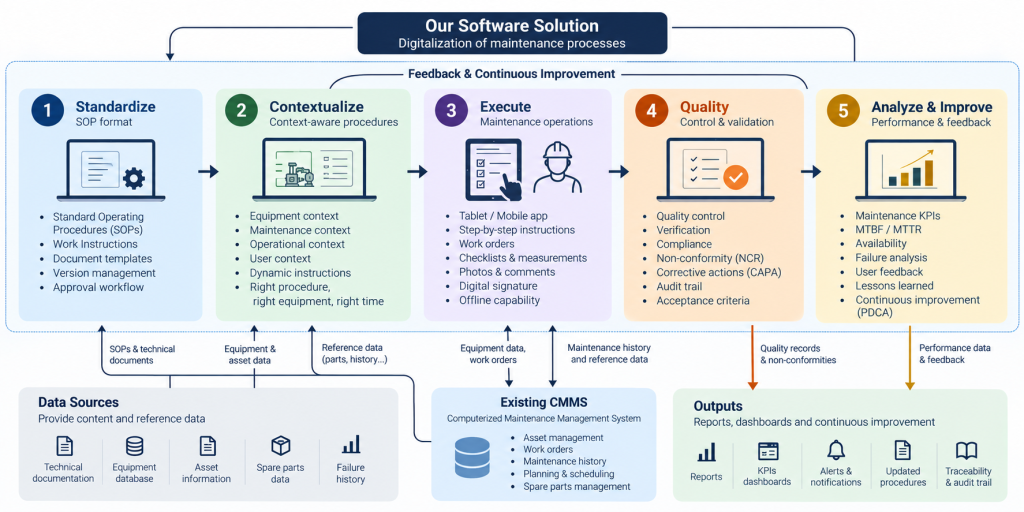
The software solution digitalizes the maintenance process through five interconnected stages: standardization, contextualization, execution, quality control, and continuous improvement.
It relies on existing data sources of the information system of the company, and integrates with the CMMS already in place, enriching the information available to users without replacing the existing system.
From standardized procedures to field execution, quality validation and performance analysis, the solution creates a continuous feedback loop that helps improve both maintenance operations and procedures over time.
Design process
01 – Roadmap
The digital roadmap is defined with the Digital Transformation team, management and business representatives to identify key priorities, digitalization opportunities and strategic features.
02 – Process discovery
Based on the roadmap, I analyse existing processes with process owners and users to identify business needs, pain points and opportunities for digitalization.
03 – User Research & Needs Analysis
Through user interviews and functional analysis, I translate these needs into requirements, User Stories and Acceptance Criteria, creating a shared understanding between business, users and development teams.
04 — Design and prototyping
Figma design
I design the solution using a Design System and Figma, creating interactive prototypes and testing different approaches with users. Their feedback helps refine both the UX and the functional requirements.
05 — Agil process
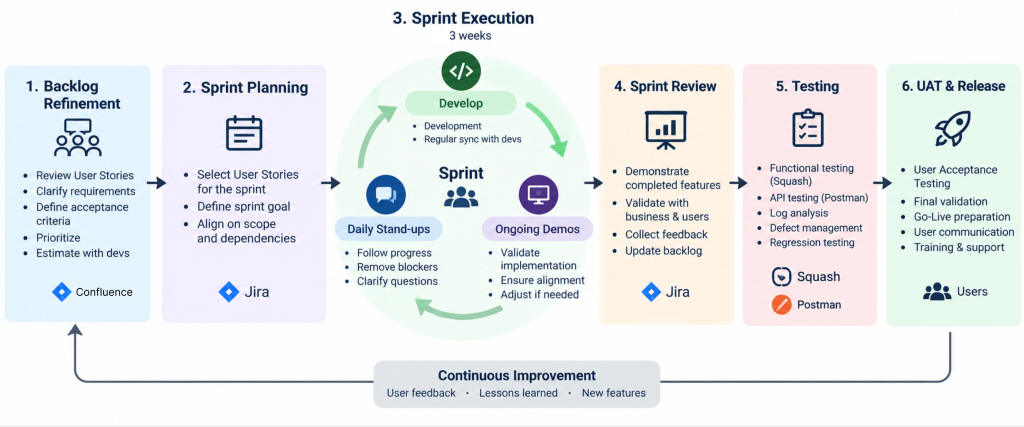
Once validated, User Stories are finalized and prioritized during Backlog Refinement. I work closely with developers throughout the sprint to clarify requirements and ensure alignment through regular demos.
06 — Validation
The delivered features go through functional testing, using tools such as Squash, Postman and log analysis. Defects are identified, prioritized and followed through to resolution.
07 — Deploy & Adopt
After functional validation, users perform UAT to confirm that the solution meets their operational needs. Once validated, we prepare the Go-Live, communicate the release and support users through training.
08 — Improve
User feedback, testing results and operational experience feed the backlog and future iterations, creating a continuous improvement cycle.